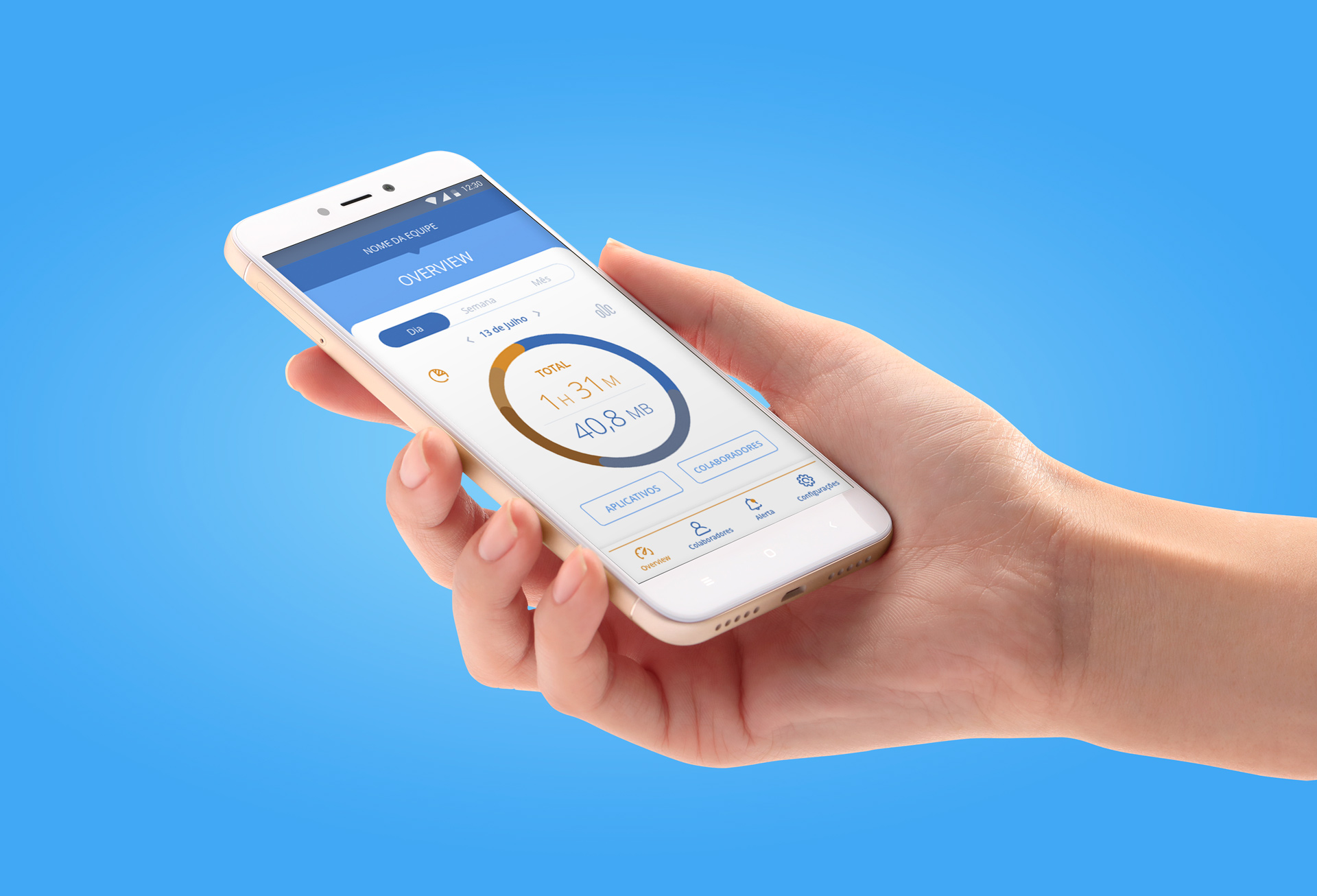
Stract Connect is a minimum viable product developed for a company which provides a range of corporate telecommunications products solutions.
This B2B application enables companies to have an overview of mobile data expenses and time spent on corporate devices assigned to their employees. The datas gathered can be used to create statistics, measure productivity, identify idleness and unnecessary spending.
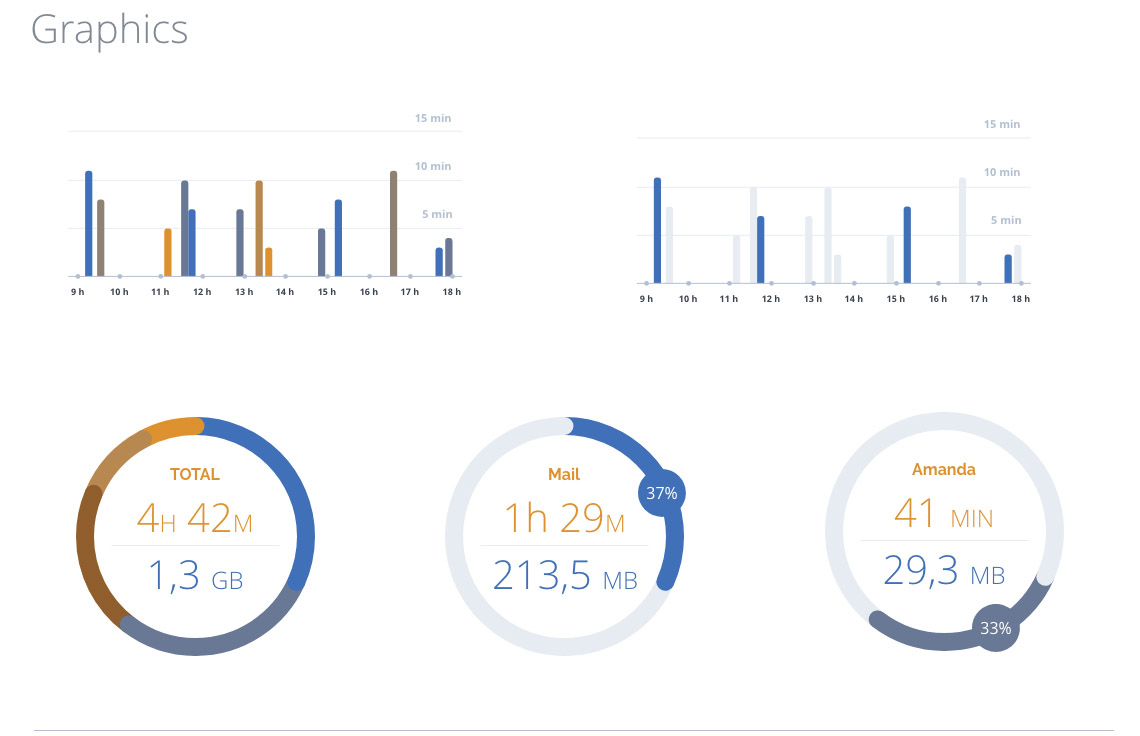
The app provides an overview of mobile data expenses and time spent in each app accessed daily by employees, tracking the use of the app previously listed, such as Whatsapp, Browsers, Email, Facebook, Instagram, etc.
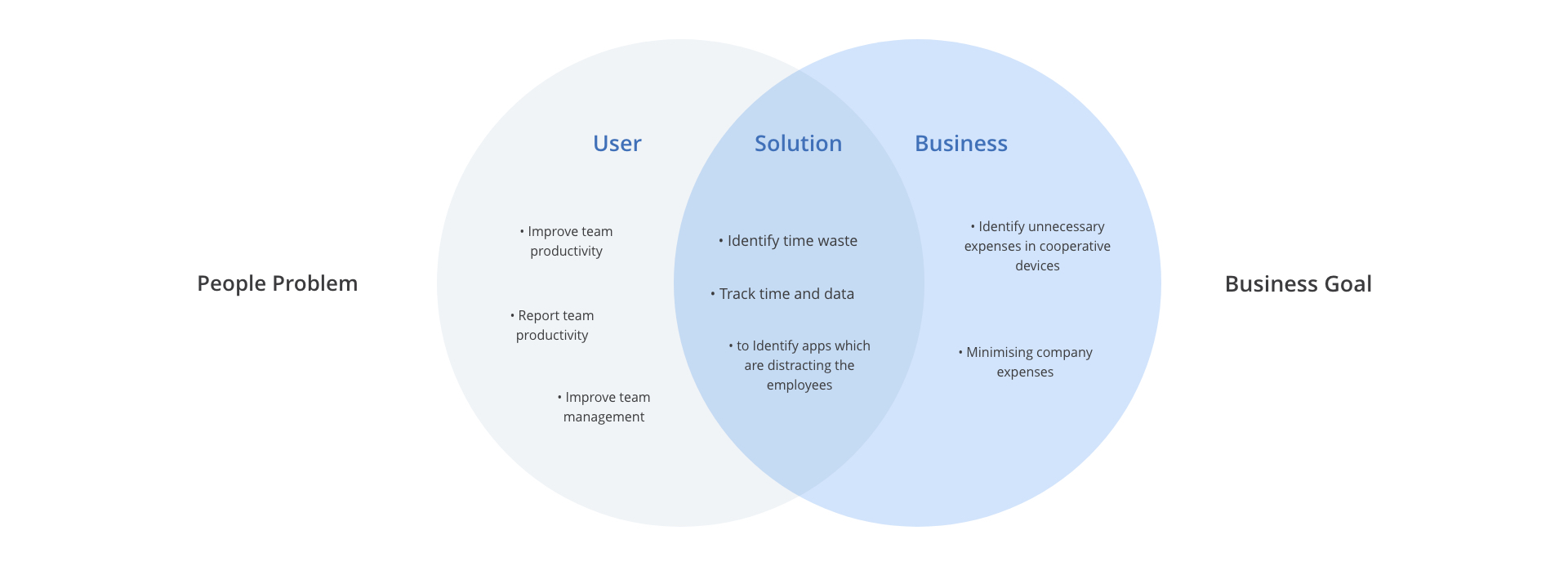
Understand the business goals, the problem, context and users. Data analysis.
Defining user personas, scenarios, features and sitemap. Brainstorm and prioritisation.
Sketches, wireframing, user flow and interactions.
High fidelity prototype, usability testing, style guide.
Based on research gathered by our stakeholders in the project discovery period, user personas and journeys were created, which played an integral role in crafting a simplified sitemap. We created a persona who represents the main target, for helping us to understand the context, make decisions and keep the end-user always in mind.
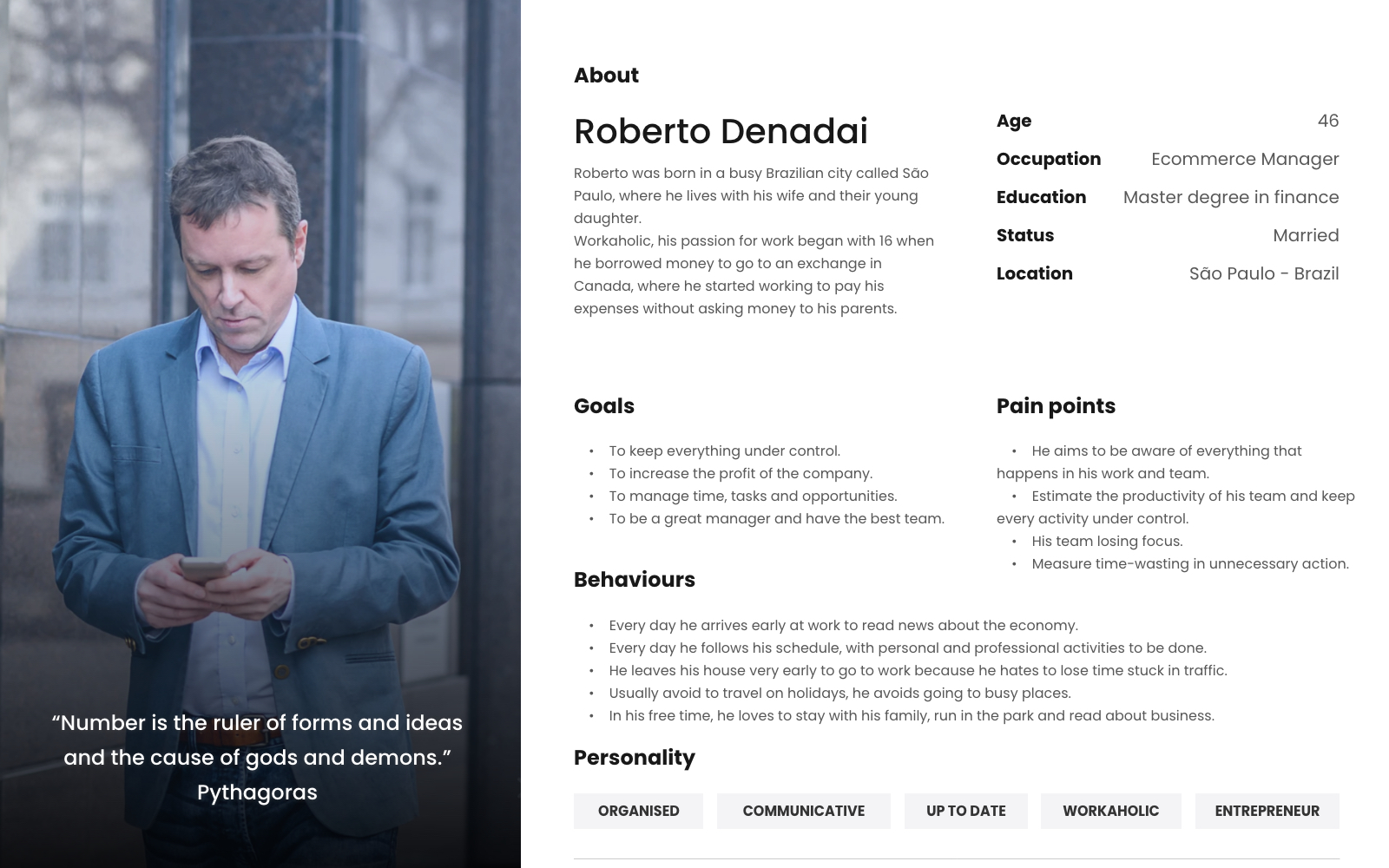
Roberto Denadai
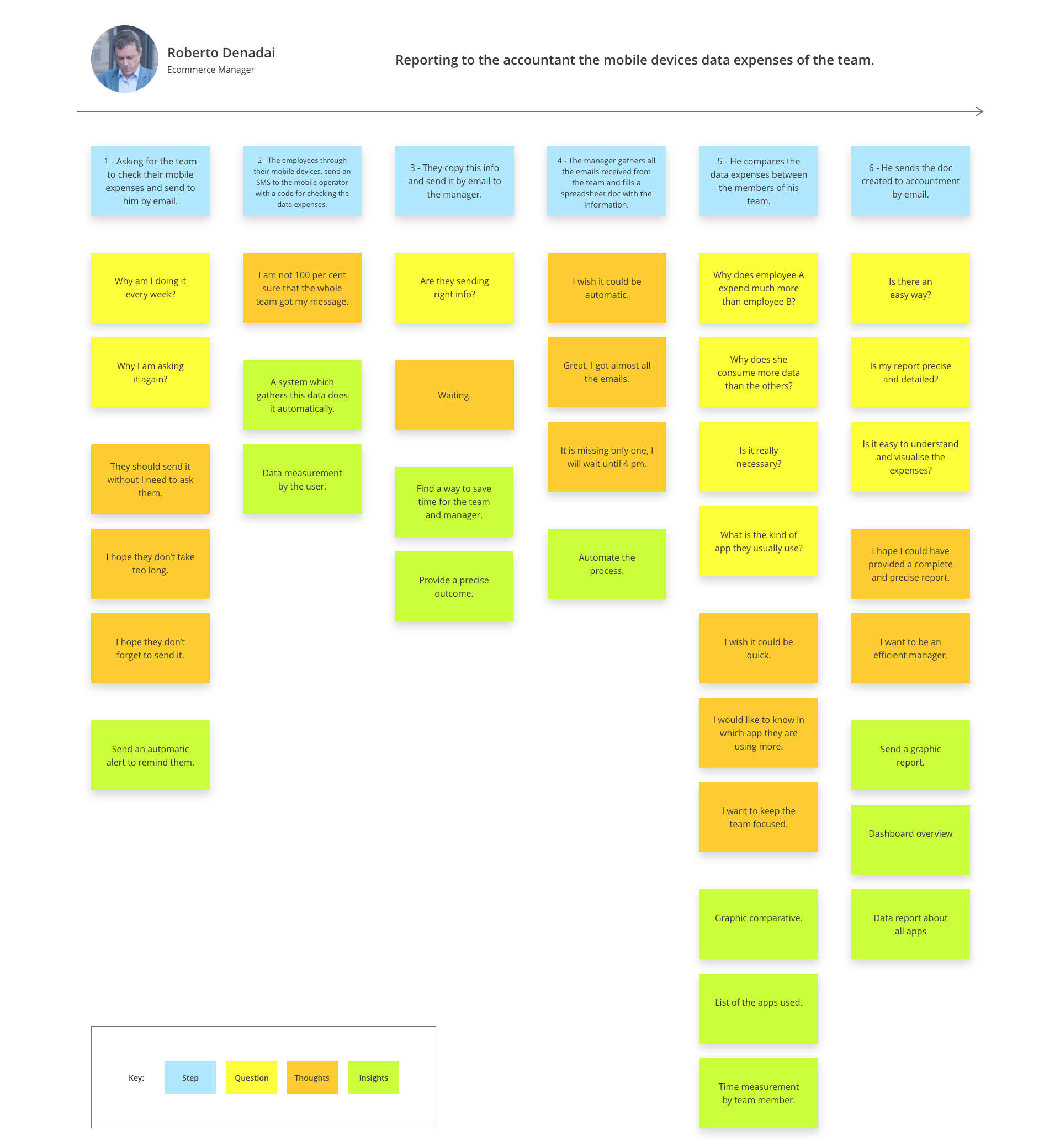
The user scenario map approached shows each step of the way to performing some task. It helps convey what motivates the persona to complete that task.
The scenario helped us to discover and understand pain points, identify opportunities, generate insights, and also ensure any ideas about design features created stay grounded in the reality of the users’ context.
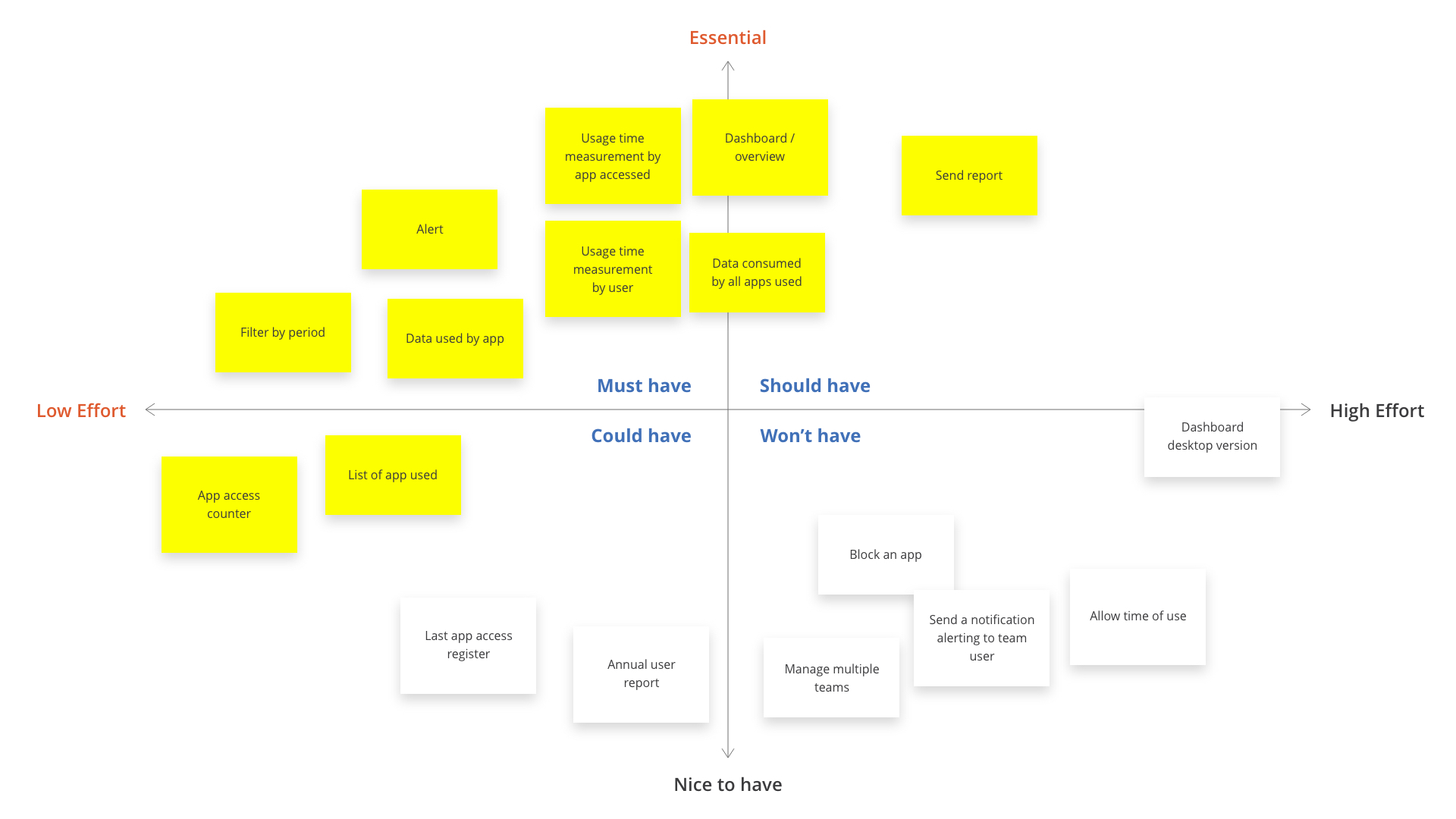
The MoSCoW Method makes it easy to prioritize requirements and features.
As an MVP project, all the ideas generated by brainstorming sessions needed to be prioritized. With the Moscow method, we distributed some of the possible features into 4 groups: Must-have, Should have, Could have and Won’t have. We focused mainly on the features that would add value to the user's goals.
Synthesizing the information collected to interpret and summarize the data into potential solutions.
Was created a sitemap to organize the features, filters, flow and content, providing an entire overview of the app.
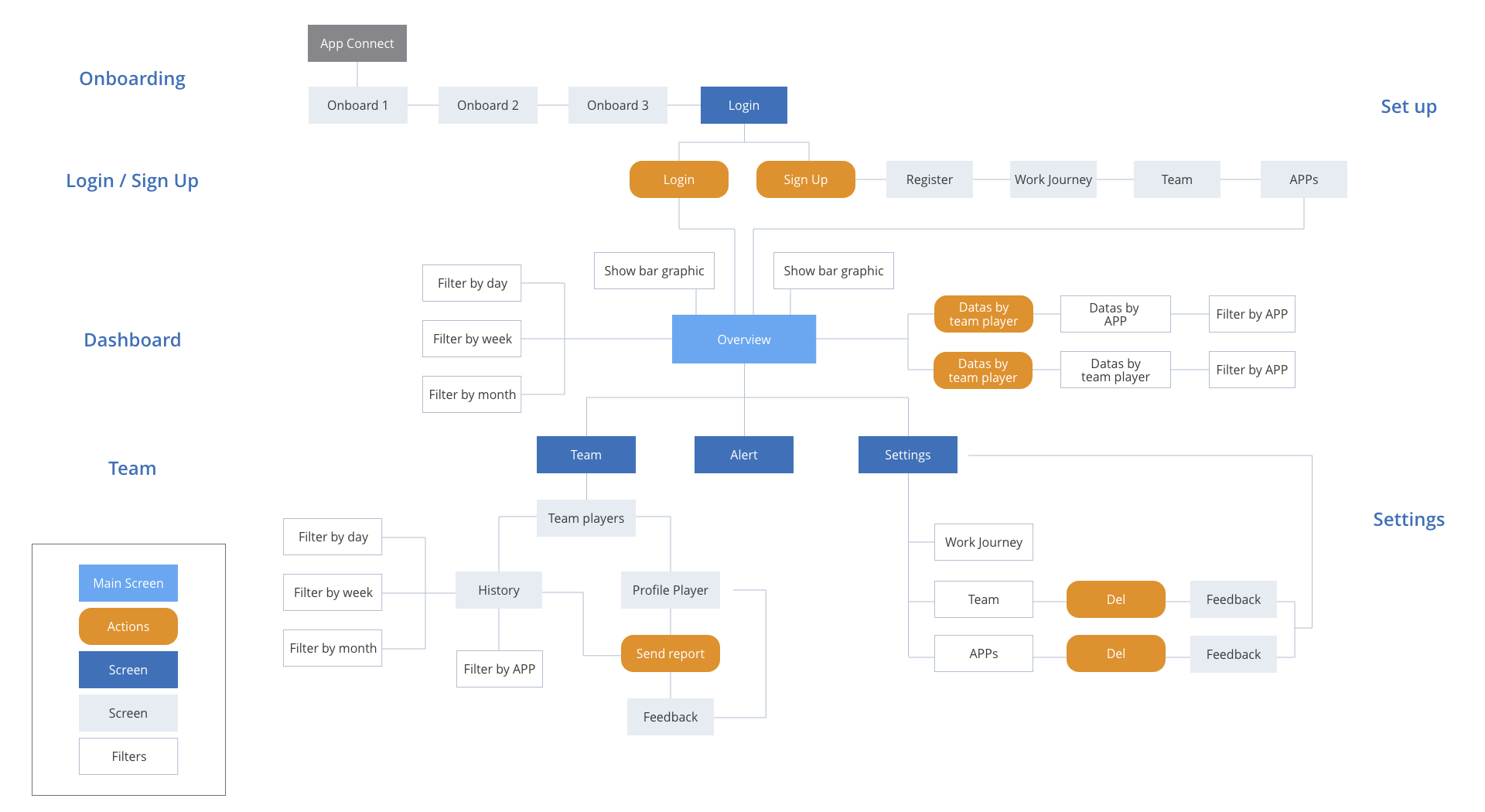
Scenario: First access and set up the app to start using.

Scenario: Logging in and sending a user report to the accountant.

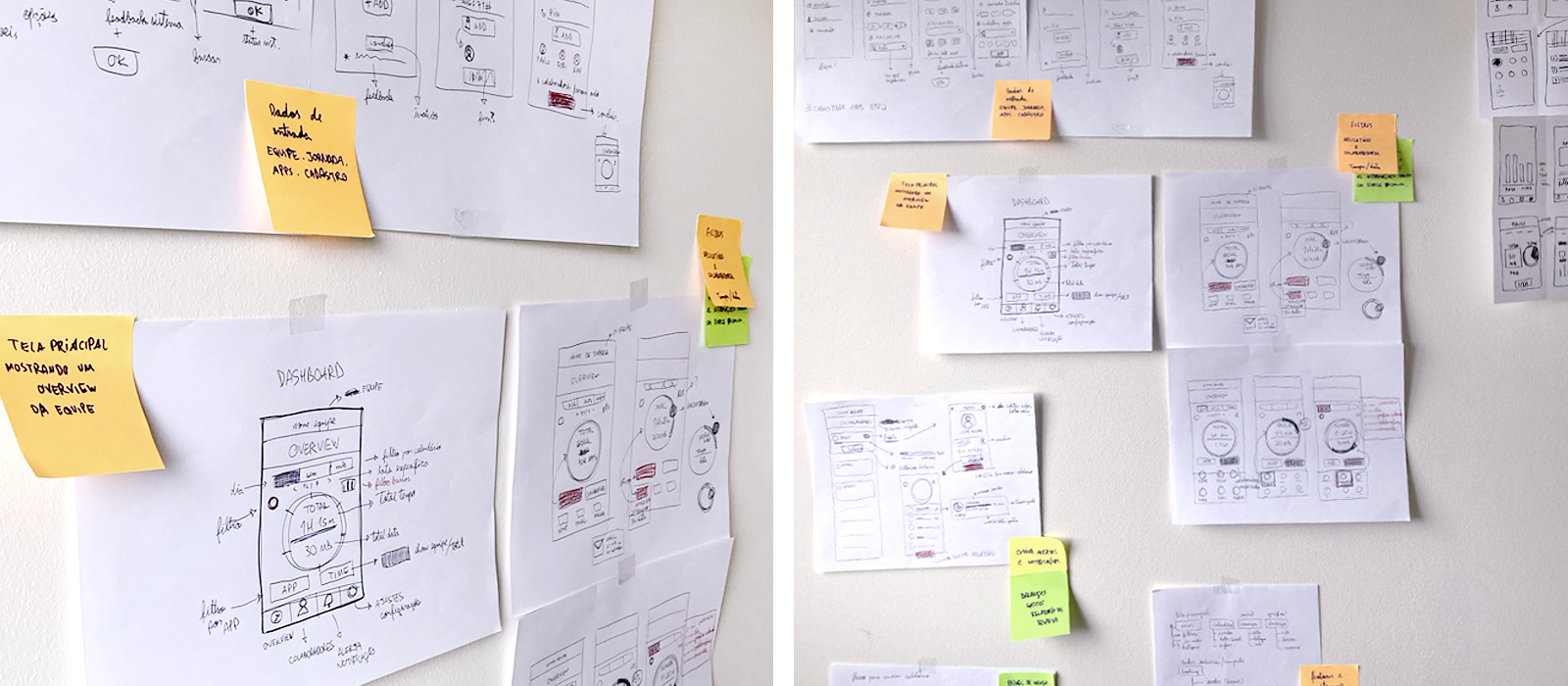
The crazy-8 method was used to give a kick start, explore the main screen with the key features and came up with possible solutions.
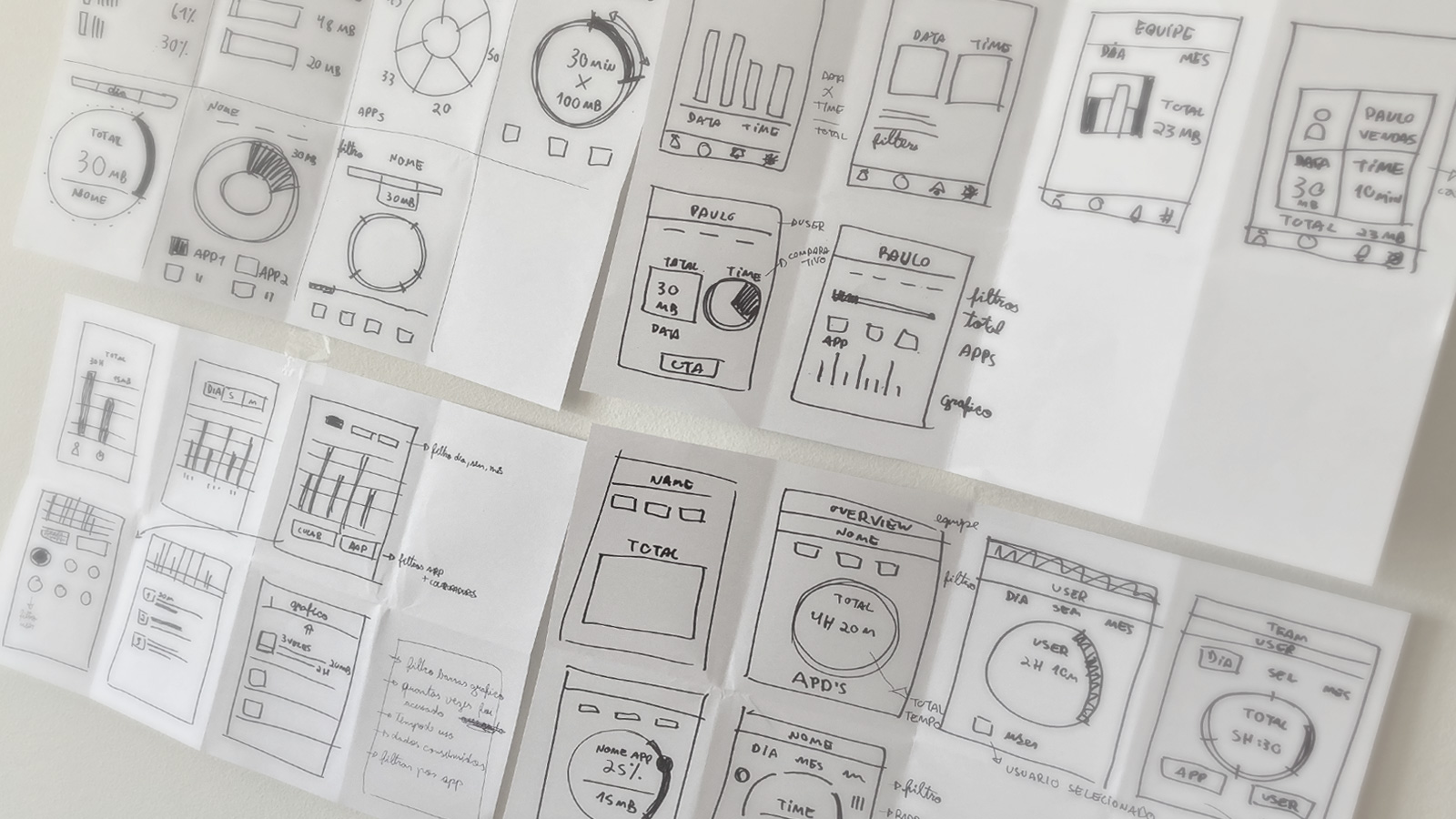
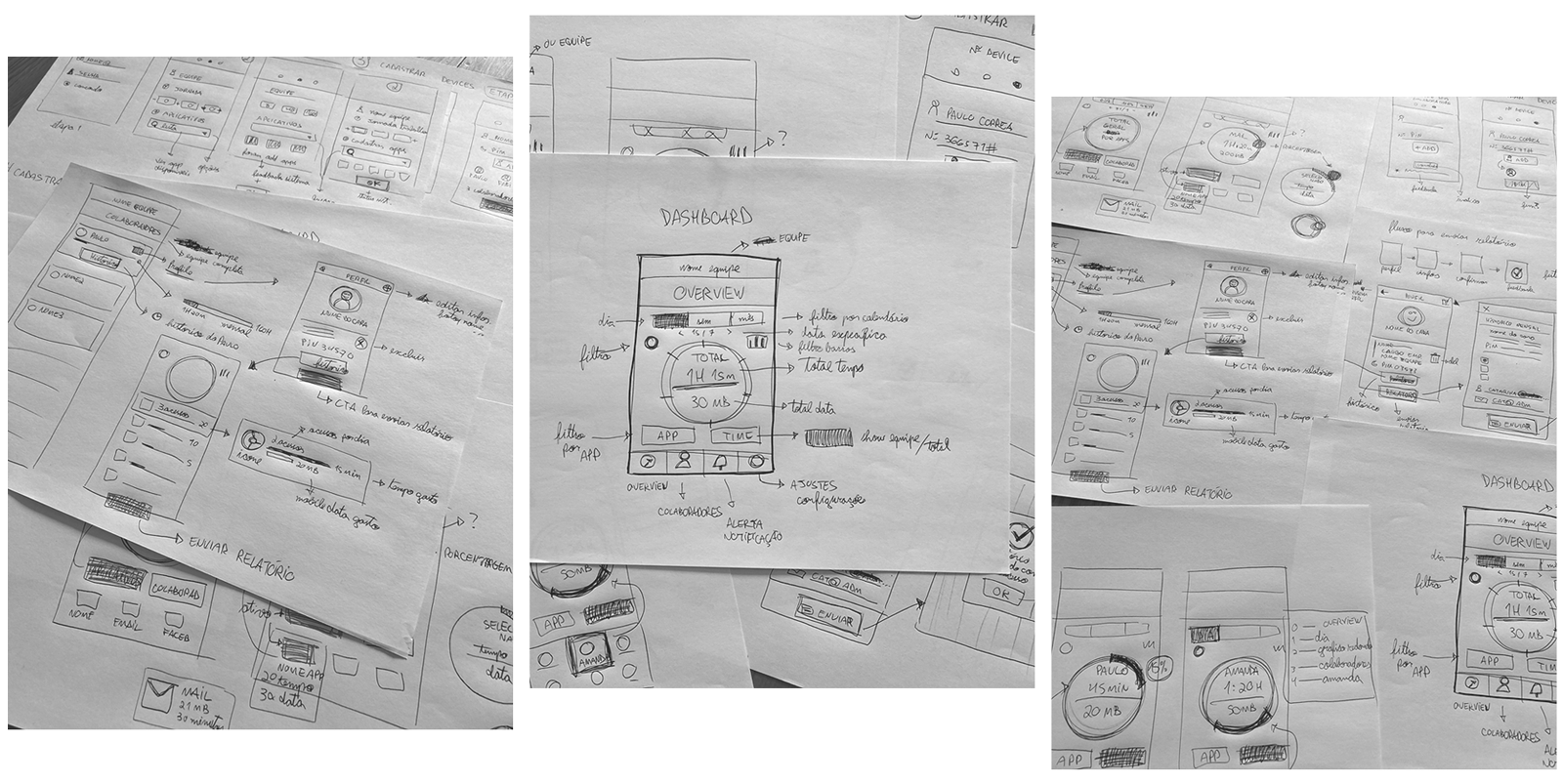
Based on the feedback and insights gathered from the sketching phase, were designed the wireframes to validate the keys screens, features and navigation, before we came up with the high fidelity design solution.
The wireframes were translated into an interactive prototype that allowed us to simulate the interactions with the design and also get early feedback.
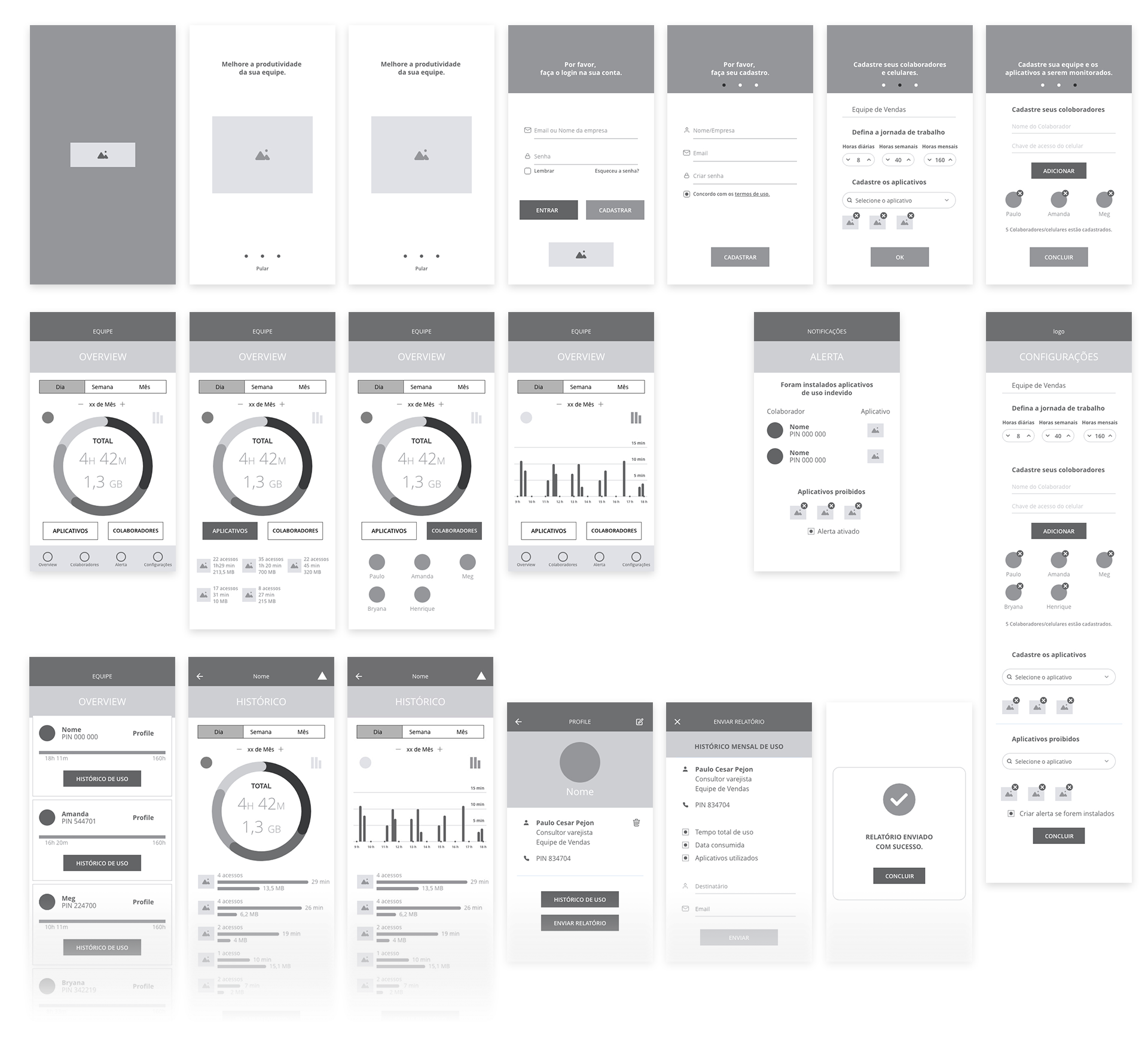
Based on the site map and user flows, was created a set of interaction using the mid-fidelity wireframes.
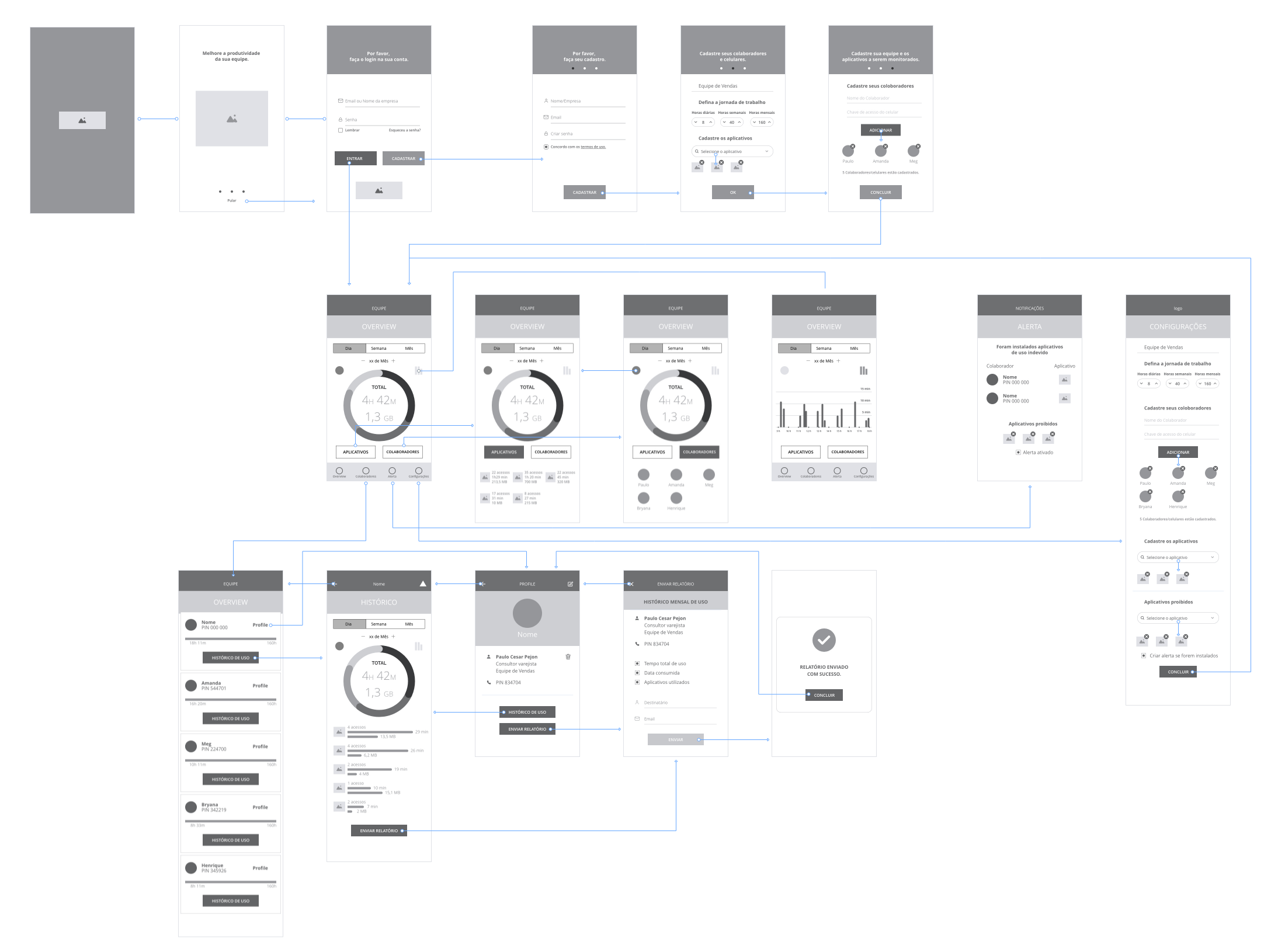
With the interactive prototype, the usability testing was conducted by sharing the prototype link with the users and asked them to use the app and explore the different features in the Stract Connect App.

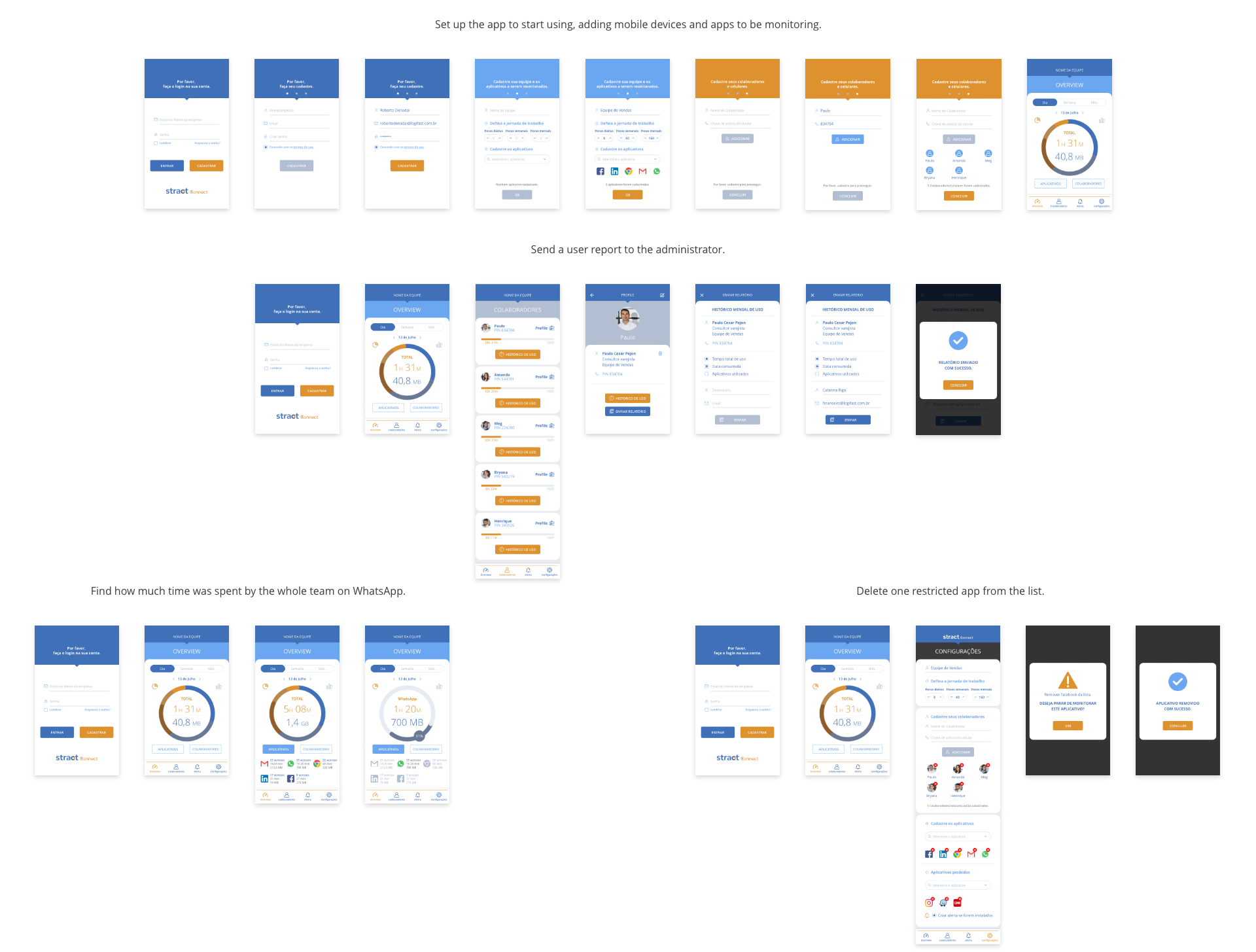
The high fidelity prototype allowed us to communicate the designs and functionalities of the product to stakeholders of the project and also allowed testing on all the detailed aspects, including filters, interactions, the information hierarchy, the mental load of the screens on users, UI components and colours.
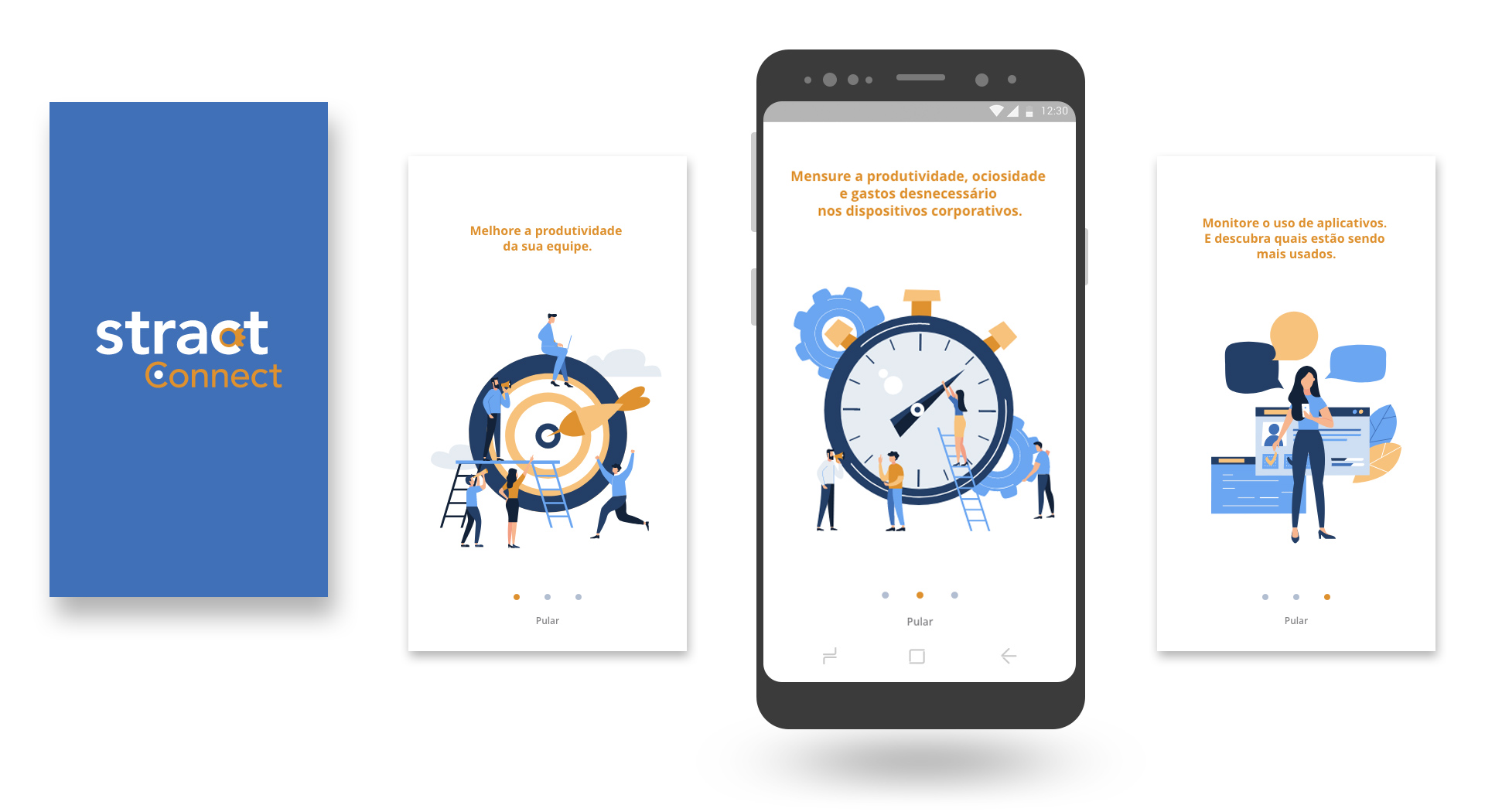
Benefits-Oriented Onboarding screen approach focuses on the benefits of the app and the value it can provide to users. The purpose of it is to motivate people to use the app describing what the app does without having to explain how to use it.
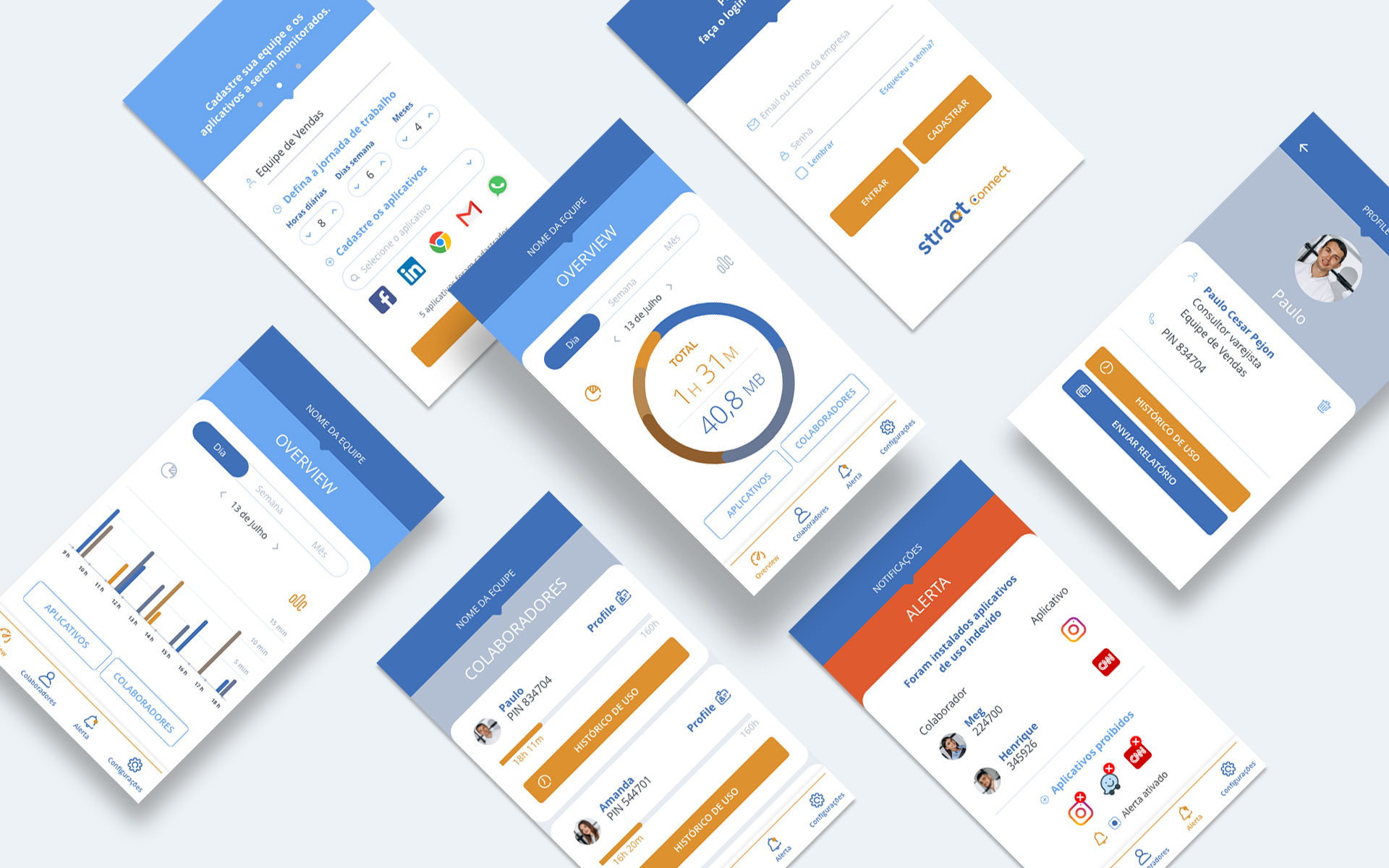
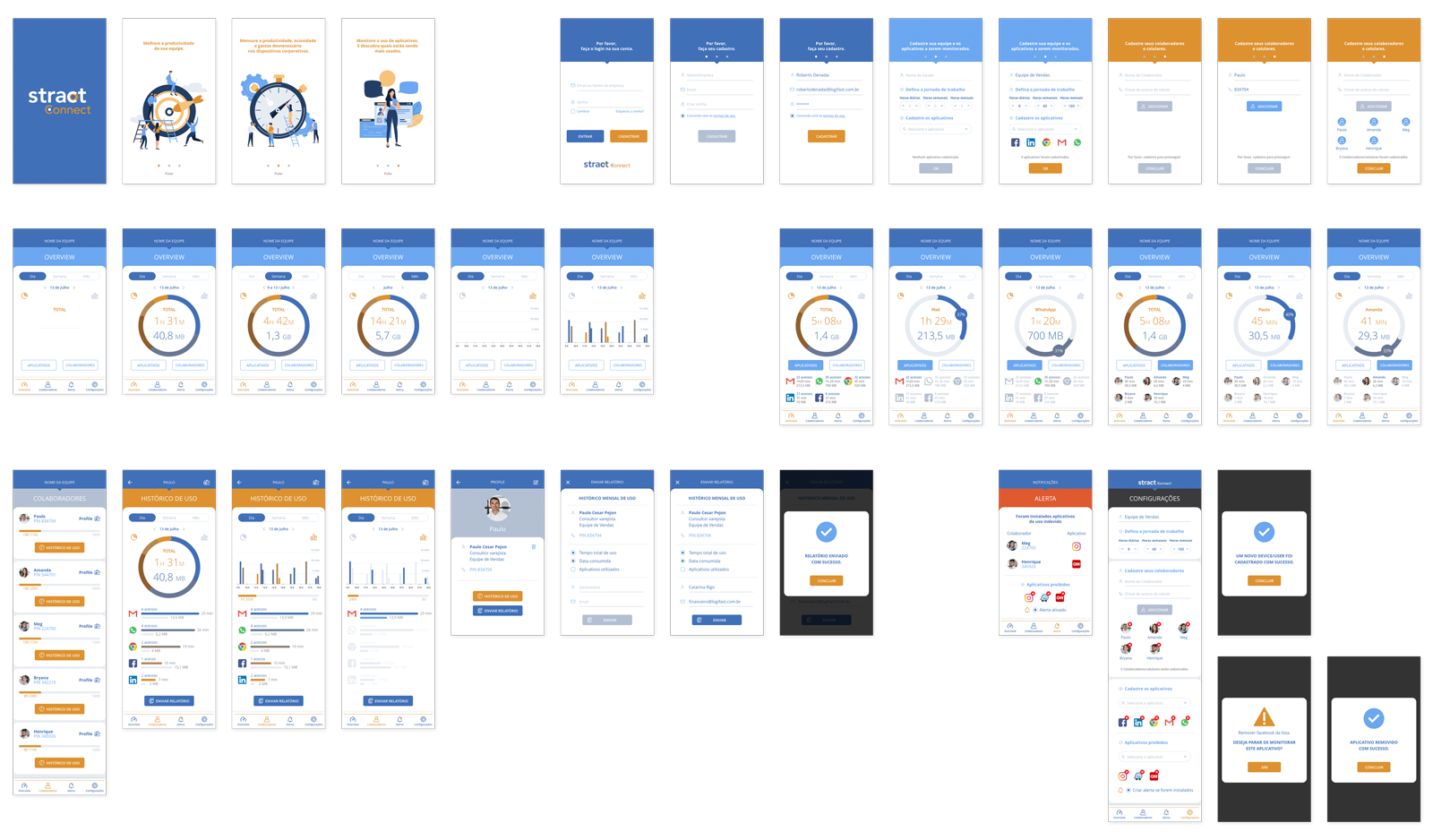
Ui Design based on the branding company identity.
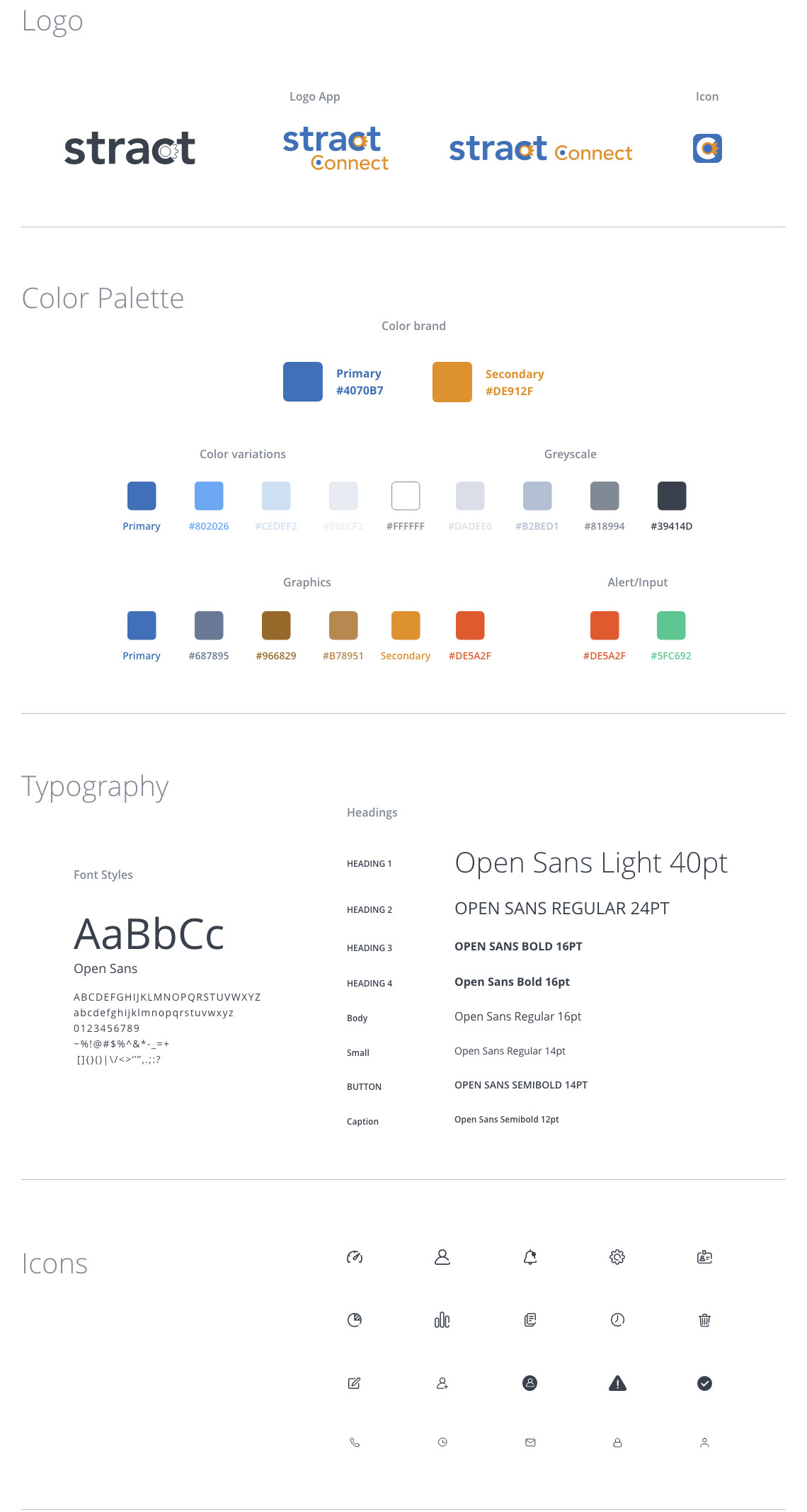
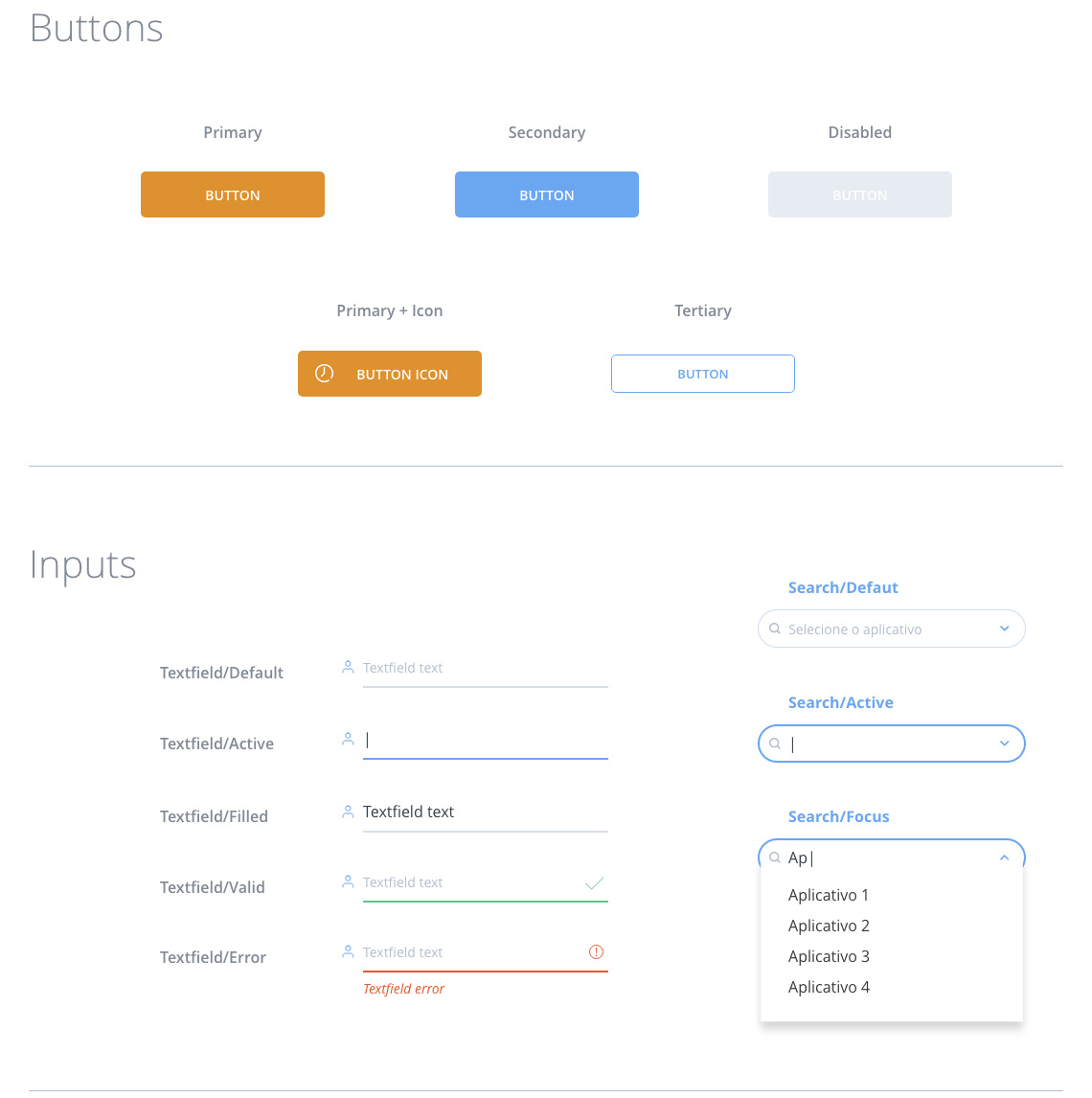
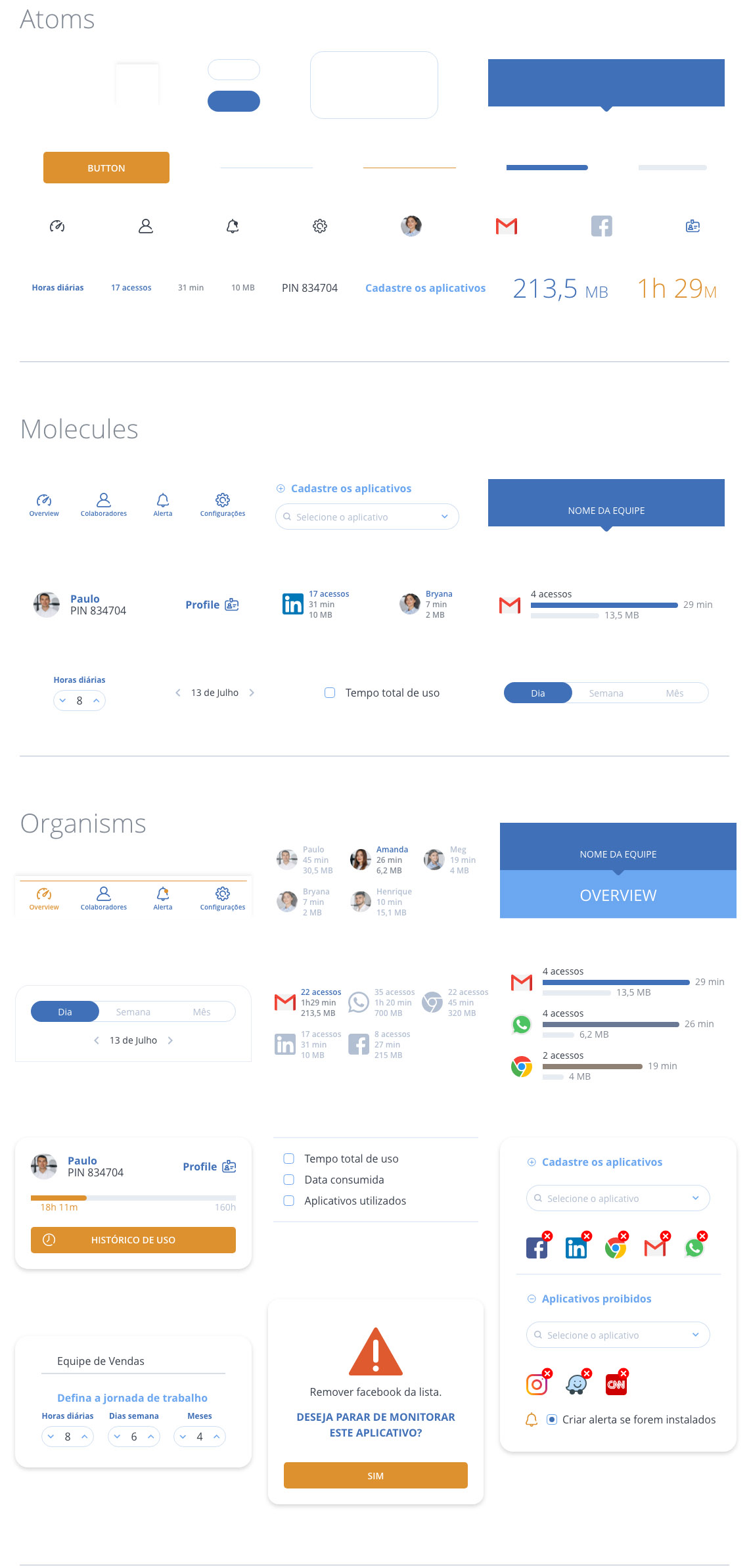
The interface was designed using Atomic Design System principles, using symbols to create structures and layouts.